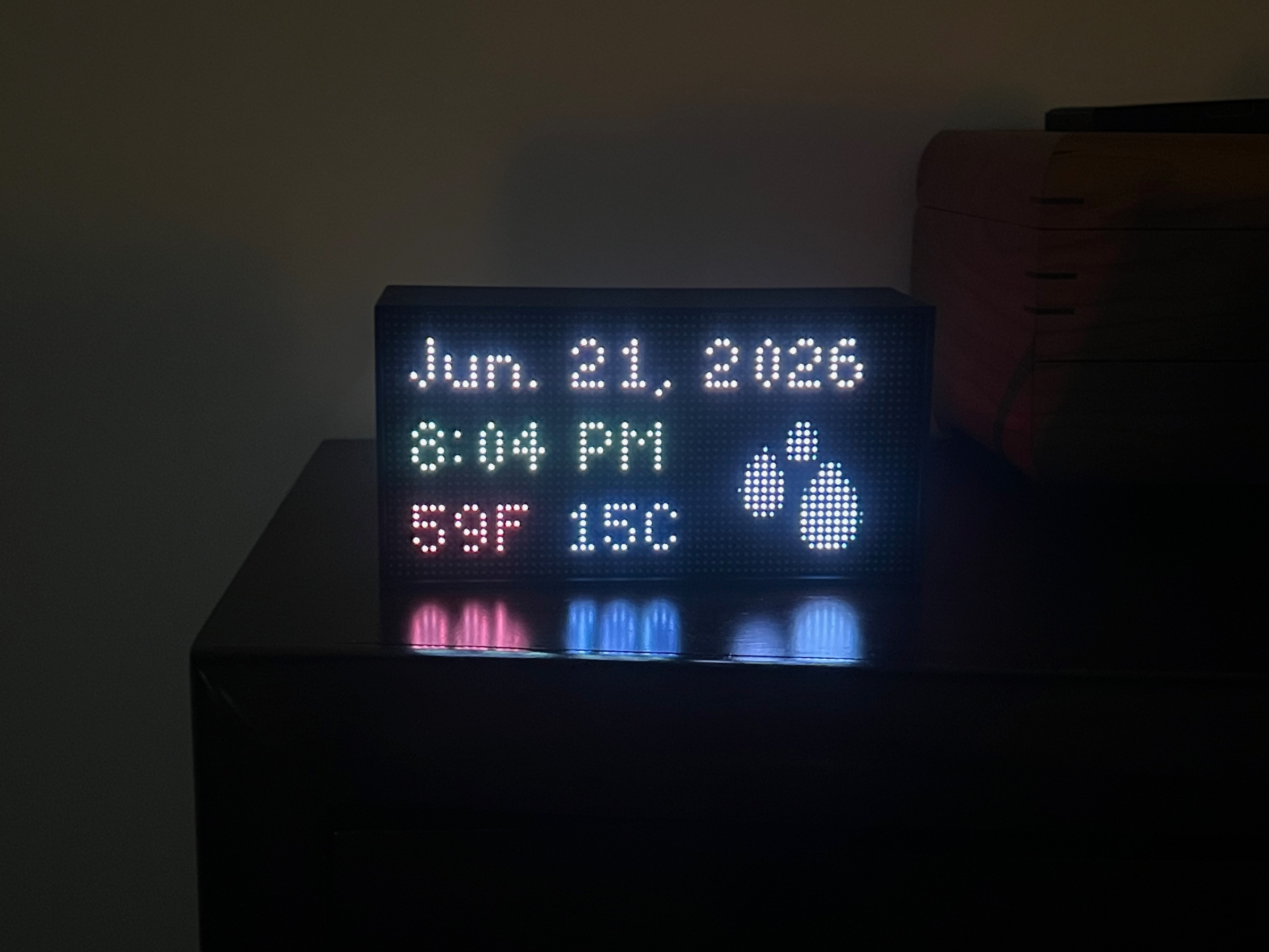
Why build instead of buy?
This project started with me getting rid of my Amazon Echo devices. Amazon began migrating them to Alexa+ despite my express instruction not to, and that was the last straw on top of a concern I’d been carrying for a while: always-on microphones in multiple rooms of my house, with limited control over what gets sent back to Amazon. The Echos had to go.
To be fair about what I gave up: no more voice commands, and no more “Alexa, start a timer for 20 minutes” from across the kitchen. That was genuinely the most useful thing the Echos did, and there’s no voice AI assistant option in the house anymore. I’m okay with this tradeoff. A kitchen timer is a solved problem (my phone and watch both do it), and for me it wasn’t worth keeping a fleet of microphones plugged in around the house.
But the Echos were also my bedside clocks, so I needed replacements. For the other rooms in the house, I went with Ulanzi TC001 clocks. They’re inexpensive, and with Home Assistant I can adjust what each one displays per room. For my bedroom, though, I wanted something nicer. That search led me to the Tidbyt, a charming wood-framed LED matrix display, only to discover the company had been purchased and the clocks were no longer available. That’s when I found Tronbyt.
Tronbyt checks every box the Tidbyt did, plus the ones I actually care about:
- Self-hosted. The rendering server runs on my own hardware, in Docker, right next to everything else in my homelab.
- Local network only. No cloud dependency, no phoning home. If my internet goes out, my clock keeps ticking.
- Full control. Over the apps, the data, the update cadence, all of it.
What is Tronbyt?
Tronbyt is an open source ecosystem replacement for Tidbyt. Instead of pointing your display at Tidbyt’s cloud, you run a local Tronbyt server that renders apps and pushes the resulting images to your display over your own network. Crucially, it supports the full Tidbyt app library through a hard fork of the community apps repo, so all those clocks, weather widgets, and transit trackers people have written over the years work out of the box.
The reference Tronbyt hardware is an ESP32-based display, but the project also supports driving a standard HUB75 LED matrix panel from a Raspberry Pi via a daemon called Tronberry. I had a Pi 4 collecting dust, so that’s the route I took.
Parts List
| Item | Source | Price |
|---|---|---|
| Raspberry Pi 4 | Already owned | - |
| Adafruit 64x32 RGB LED Matrix (3mm pitch) | Adafruit | $44.95 |
| Adafruit RGB Matrix Bonnet for Raspberry Pi | Adafruit | $14.95 |
| GPIO Riser Header (for PoE pin clearance) | Adafruit | - |
| 5V 4A Switching Power Supply | Micro Center | $14.99 |
| Verbatim 64GB MicroSDXC | Micro Center | $9.99 |
| Assorted PC Screws and Standoffs | Micro Center | $14.99 |
| 3D printed enclosure (Adafruit 64x32 modular case by dlongley) | Thingiverse | - |
| 10x2mm neodymium magnets + E6000 glue | Amazon | - |
Total: ~$158
Not bad, considering a Tidbyt ran $199 before they stopped selling them, and this version answers to no one but me.
Architecture
The display itself is intentionally dumb. Here’s how the pieces fit together:
- The Tronbyt server runs in Docker on my Minisforum home server, alongside the rest of my homelab stack (Jellyfin, Pi-hole, Actual Budget, and friends).
- The server renders app images and pushes them to the display every minute.
- The Raspberry Pi 4 behind the LED panel runs Tronberry, a daemon that connects to the Tronbyt server over a WebSocket and paints whatever it receives onto the matrix.
If you’ve read my post on containerizing home network services, the server side of this will look very familiar. It’s just one more compose stack.
Hardware Assembly
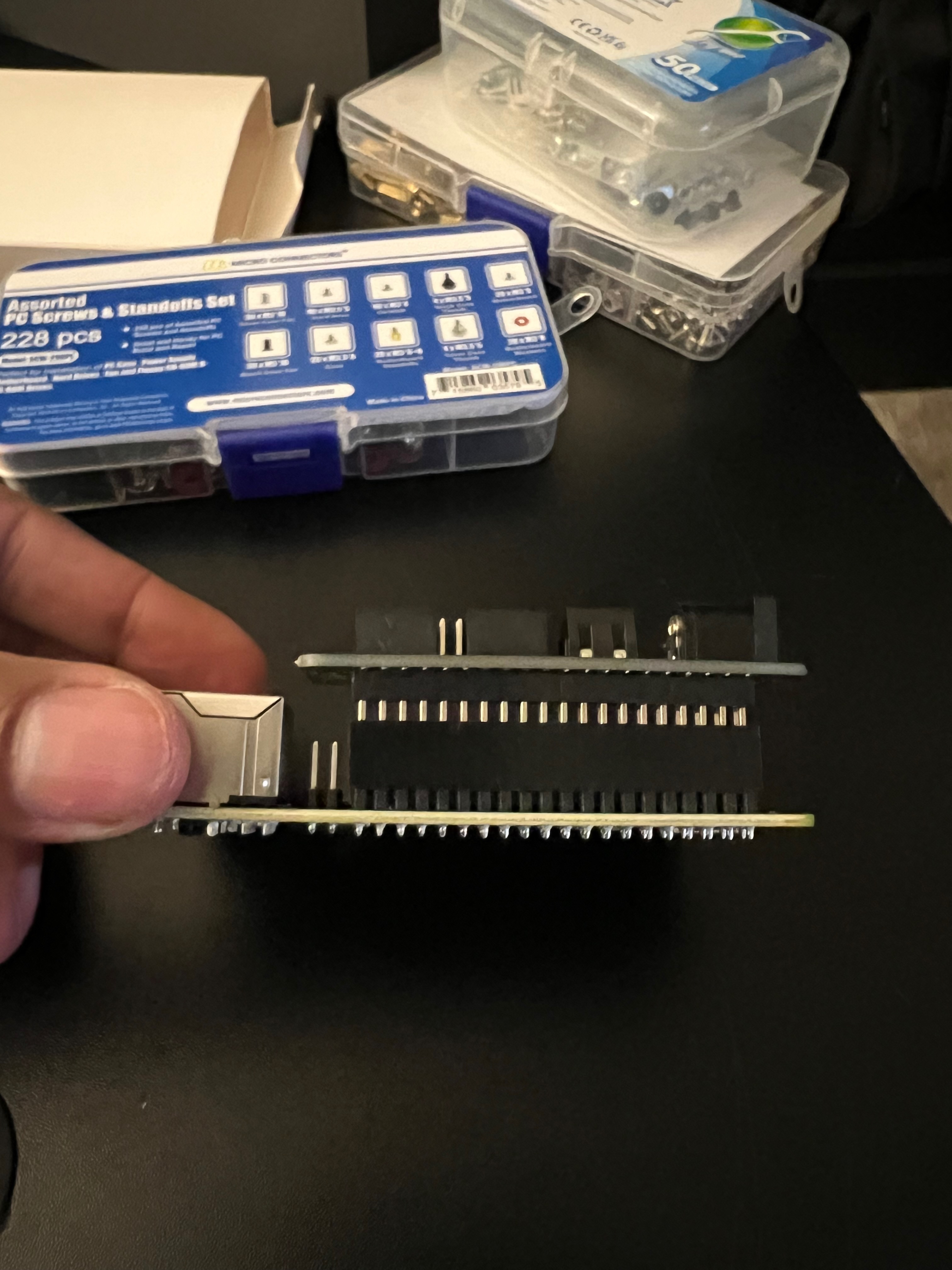
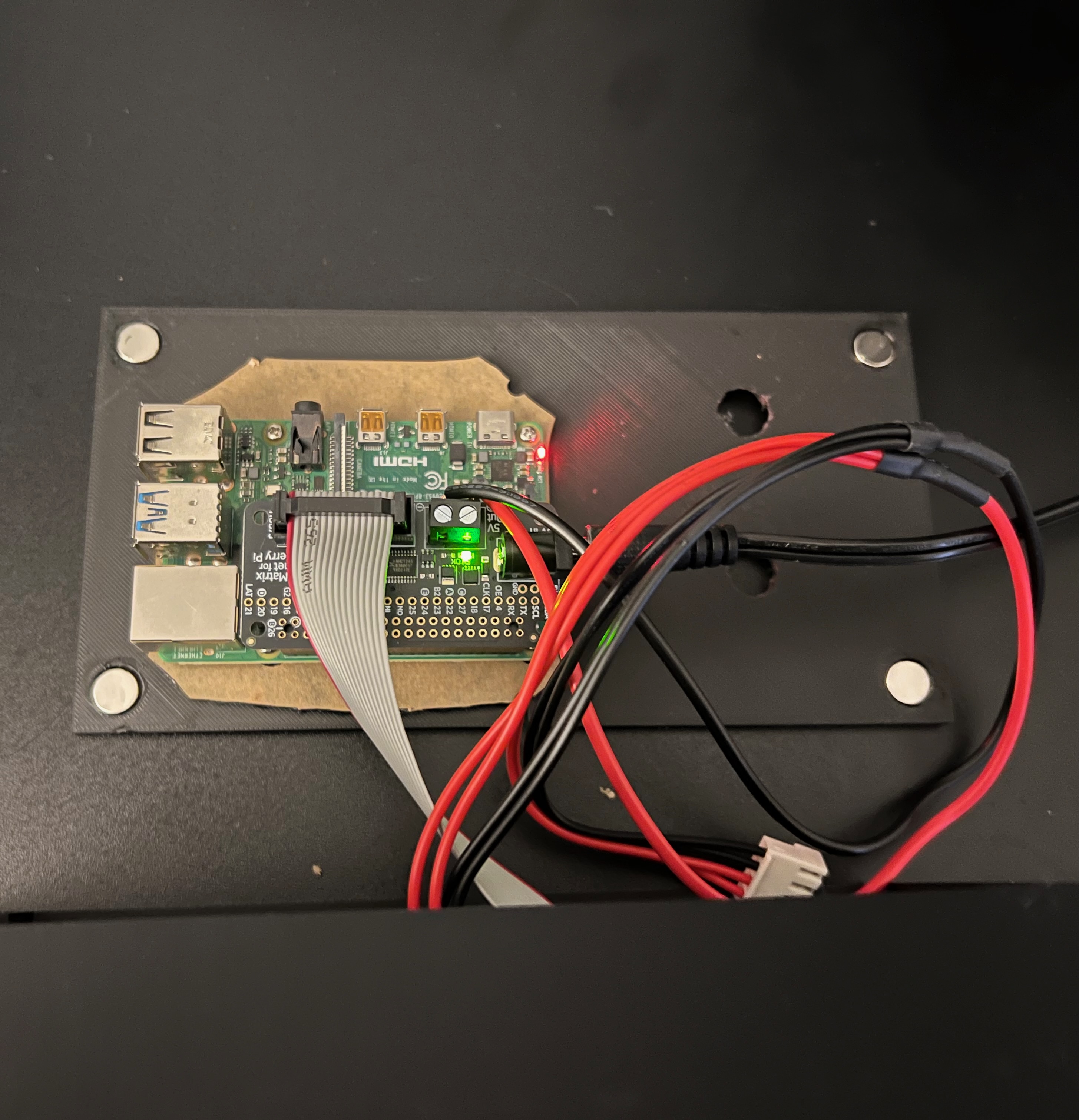
The build is mostly straightforward: the RGB Matrix Bonnet sits on the Pi’s GPIO header, an IDC ribbon cable runs from the bonnet to the panel, and the 5V 4A supply feeds the panel through the bonnet’s screw terminal block. A few things worth calling out:
- The Pi 4’s PoE header gets in the way. The PoE pins sit right where the bonnet wants to be, so a GPIO riser header is required to give the bonnet enough clearance. Cheap fix, but you need to know about it before assembly day.
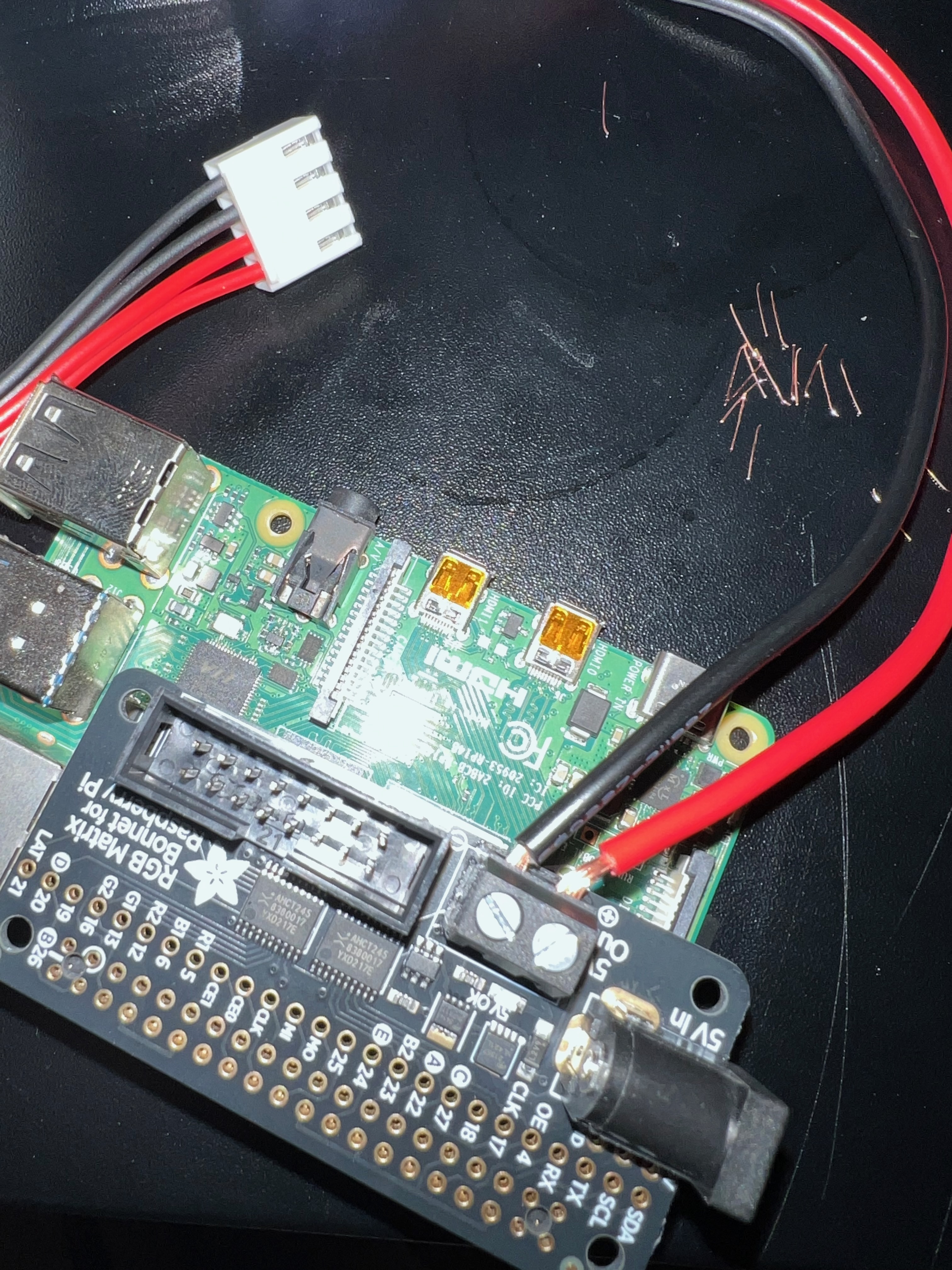
- The power cable’s spade connectors didn’t fit the terminal block. I had to strip the spade connectors off and screw the bare wires down directly.
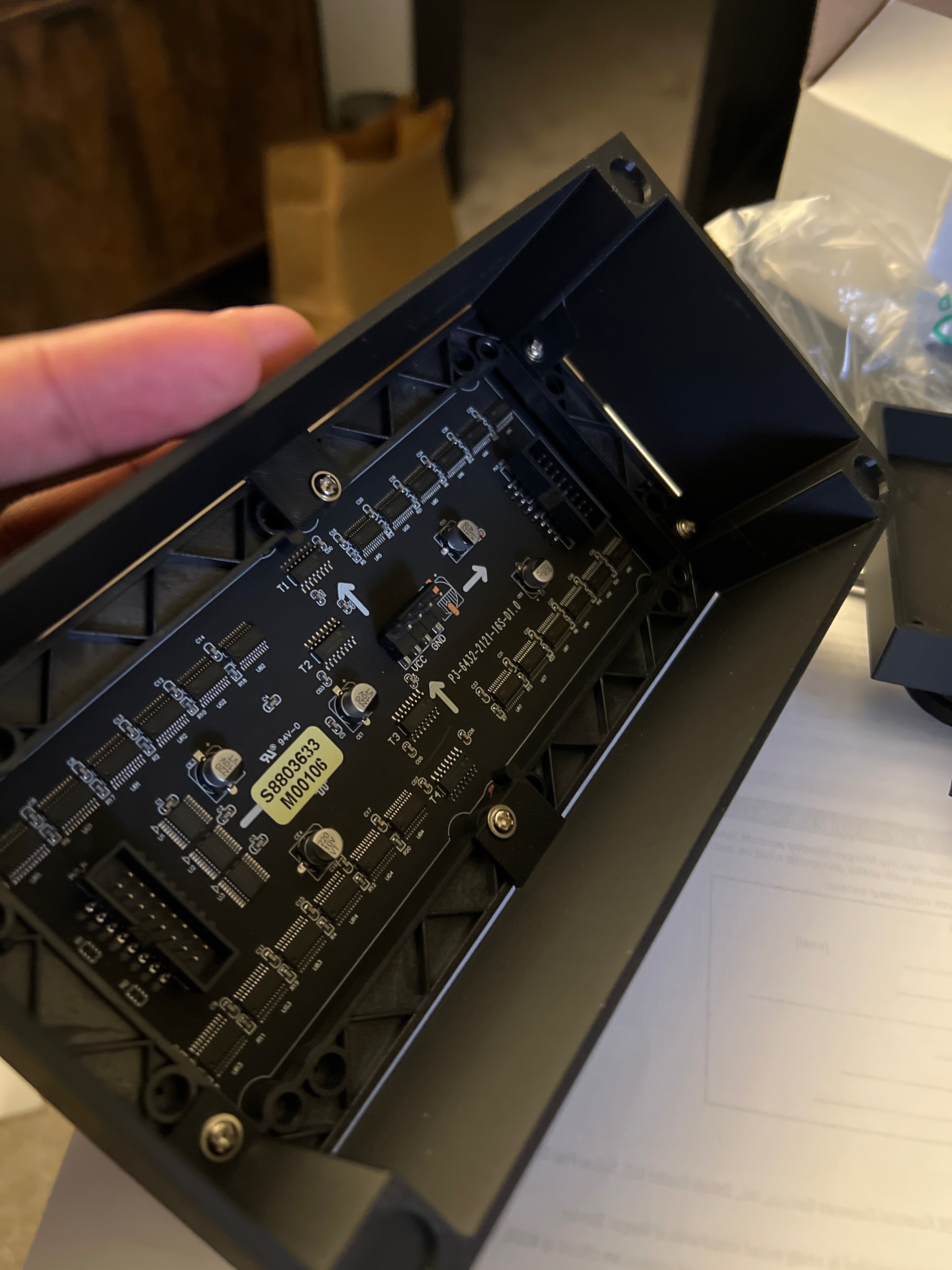
- The IDC ribbon cable goes to INPUT, not OUTPUT. These panels are designed to be daisy-chained, so there are two identical-looking IDC connectors on the back. I plugged into OUTPUT first and spent a while staring at a dark panel before figuring it out. Learn from my mistake.
- The Pi is back-powered through the bonnet. The bonnet feeds 5V back through the GPIO header, so no separate USB-C power supply is needed for the Pi. One wall wart runs the whole thing. I stress tested this configuration under load before trusting it, and it held up fine.
The back of the panel, with the two identical-looking IDC connectors that caused my INPUT/OUTPUT confusion:
The enclosure is a 3D printed modular case from Thingiverse (dlongley’s Adafruit 64x32 design). I glued 10x2mm neodymium magnets into the frame with E6000 so the front panel snaps on and off cleanly, which makes getting back inside painless. The Pi and bonnet mount to the removable back panel:
Software Setup
The software side breaks into two halves, the server and the display.
On the server, Tronbyt deploys via Docker Compose. The only wrinkle in my setup was that the default port 8000 was already claimed by Portainer, so I moved Tronbyt to 8001:
services:
  tronbyt-server:
    image: ghcr.io/tronbyt/server:latest
    ports:
      - "8001:8000"
    volumes:
      - ./data:/app/data
    restart: unless-stopped
On the Pi, the Tronberry install is refreshingly simple. A one-liner installer handles everything, including registering a systemd service so the daemon survives reboots. A couple of configuration notes:
- In the Tronbyt Manager UI, the device type must be set to “Raspberry Pi”, not “Raspberry Pi Wide”. The Wide profile targets 128x64 panels, and picking it on a 64x32 panel gets you a scrambled display.
- WiFi is managed through NetworkManager, with a static IP reservation on my router so the Pi always comes up at the same address.
The Apps
One thing I decided early on: no cycling through a rotation of apps during the day. I find the constant switching visually distracting, especially for something that sits in my peripheral vision. Instead, I run exactly one app at a time, with a day/night split:
- zigbytweather during the day: date, time, temperature in both F and C, and a weather icon.
- og-clock during night mode, from 11:30 PM to 5:30 AM: a dimmer, simpler screen with the time, temperature, and humidity. Easy on the eyes if I wake up at 3 AM.
Both apps pull conditions from the OpenWeather API, and since I already had an API key from my Home Assistant setup, that part took thirty seconds. One design detail I appreciated: the Tronbyt server caches weather data server-side. The display refreshes every minute, but that doesn’t translate into an API call every minute, so the free OpenWeather tier is in no danger. It’s a small thing, but it’s the kind of consideration that tells you the project is built by people who actually run it.
Home Assistant Integration
Since the Tronbyt server exposes an API, Home Assistant can drive the display directly. I set up automations that adjust the display brightness at sunset and sunrise, so the clock ramps down in the evening and comes back up in the morning without me touching anything. Between that and the night mode app switch, the display always matches the room.
What I’d Do Differently
- Pre-drill the cable holes before assembly. I put the enclosure together first and then had to work out cable routing with everything already mounted. Drilling the pass-throughs first would have saved real time and some frustration.
- Connect the IDC cable to INPUT the first time. See above. The connectors are labeled; I just didn’t read them.
For about $158 and an afternoon of assembly, I have a nightstand clock that renders on my own server, runs apps from a huge community library, and will keep working no matter what happens to anyone’s cloud. No always-on microphone, no forced migrations, no data leaving my network. That’s the whole homelab thesis in one little glowing box.